⚪️ Bowling Party (Bowling Minigame) ✨ [1.8 - 26.3]️ ⚫ v2.49.0
在 Minecraft 里打保龄球,兼容 1.8–26.3。
发布于 2026-10-16 · 销量: 0 · 评分: 0.0 (0)
Minecraft 兼容性:
Java 版 MC 1.8MC 1.9MC 1.10MC 1.11MC 1.12MC 1.13MC 等 18 项 SpigotPaper
描述
The game is played as follows:
Bowling Party is a game where each player gets to play 10 rounds. In each of the rounds, you have 2 frames to hit as many pins as possible. If you manage to hit all 10 of them you get extra points. The player with the most points wins the game.
TEST SERVER: testing.mipcraft.eu (157.90.137.69:22022)
OTHER SERVER AMAZING: event.thestonedgolem.live
DOCS: https://docs.mipcraft.eu/v/bowling-party
Features:
The plugin is highly configurable, allowing you to adjust nearly every aspect. Some of the key highlights of this game mode include:
- Design Your Own Tracks: Unleash your creativity by crafting personalized tracks.
- Music Integration: Enhance the gaming experience by adding music through NBS files.
- Per-server/Multi-arena: Set one game per server (BungeeCord) or multiple games per server.
- MySql Support: Keep track of win streaks with efficient MySql integration.
- PlaceholderAPI Support: Enjoy compatibility with PlaceholderAPI for streamlined integration.
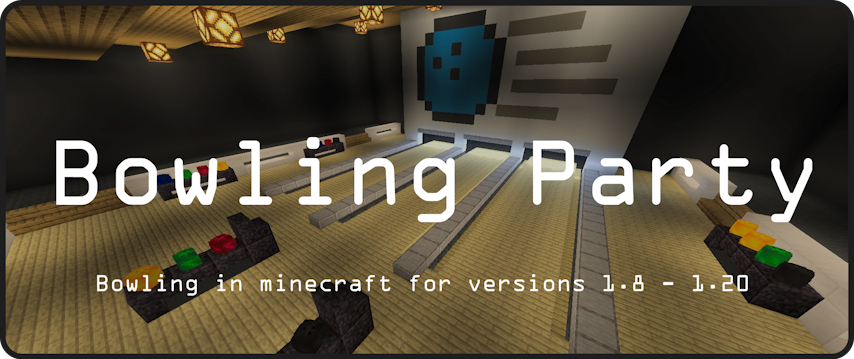
(You can get the map on the picture here: Bowling Party Default Map)
Game play:
Setup:
1. Get the plugin and put it in the plugins folder. Start the server and let the plugin generate the folders.
2. Feel free to modify any settings in the configuration file as you see fit. Afterward, restart the server, and you'll be able to join with your new changes.
3. For both the multi-games per server and single game on the server mode, you'll want to create at least one game. You can do so with the "/bp create [game_name]" command.
4. Setup game.
4.1. First, set the lobby location (waiting location before the game starts) using the "/bp set lobby [game_name]" command, and then set waiting location with "/bp set waiting [game_name]". Waiting location is where players wait while the others are using lanes.5. Enjoy!
4.2. Next, go to all the lane locations where you want the players to stand and look at the pin area as if you were throwing the ball, then run the command "/bp add lane [game_name]".
4.3. Next, you'll want to save the game with this command "/bp save [game_name]".
When setting up the game for older verions you will have to replace all the sounds and materials in config!
Setup videos:
Game play:
Adding your own music:
For music, you'll need to download an additional plugin [NoteBlockAPI]
Restart the server and you'll get a folder in BowlingParty called music, where you drop in the NBS files.
You'll need a Note Block Studio.
If you want to see where to get those files you can watch this video:
When you have a song in Note Block Studio just export it as NBS.
Commands:
/bp join - Join the best game.
/bp join [name] - Join the game.
/bp join @p
/bp join @a[distance=..10] winter
/bp join Steve winter
/bp join [selector] [game] - Join specific players in to the game.
/bp leave - Leave game.
/bp reload - Reloads the config.
/bp create [game_name] - Create a new game.
/bp save [game_name] - Save a game.
/bp set waiting [game_name] - Set waiting location.
/bp set lobby [game_name] - Set lobby waiting location.
/bp add lane [game_name] - Add a bowling lane.
/bp remove lane [number] [game_name] - Remove a bowling lane.
/bp list lanes [game_name] - List all lanes in game.
PlaceholderAPI:
Player stats:
Game stats:
- %bowlingparty_player_uuid%
- %bowlingparty_player_name%
- %bowlingparty_player_games-played%
- %bowlingparty_player_win-streak%
- %bowlingparty_player_wins%
- %bowlingparty_player_score%
- %bowlingparty_player_best-score%
- %bowlingparty_player_placement%
Top stats:
- %bowlingparty_game-count_<game_name>%
- %bowlingparty_game-state_<game_name>%
Structure of top placeholders:
%bowlingparty_top_games-played_1_name%
bowlingparty_top_ - is always the same.
games-played_ - can be (games-played, win-streak, wins, best-score or score) - represents top 10 category.
1_ - is a placement number which can be from 1 .. 10.
name - this part can be (uuid, name, games-played, win-streak, wins, score or placement) - data of the player in this placement of the top 10 category.
Examples:Config:
- %bowlingparty_top_games-played_5_name%
- %bowlingparty_top_win-streak_10_score%
- %bowlingparty_top_wins_1_win-streak%
- %bowlingparty_top_score_3_name%
Spoiler: config.yml
Other plugins:


Before you buy the plugin make sure to read carefully this page just so you'll understand what you're getting.
Terms and conditions:
This plugin cannot be refunded.
You aren't allowed to redistribute/resell this plugin.
You aren't allowed to modify or decompile the plugin.
Support: https://discord.gg/2dcXEtP


 2.00